The product, module by module

The same names that appear in the application’s top bar. Every screen is real, captured with the demo company Consultora Aurora.

Dashboard

The first screen of the day

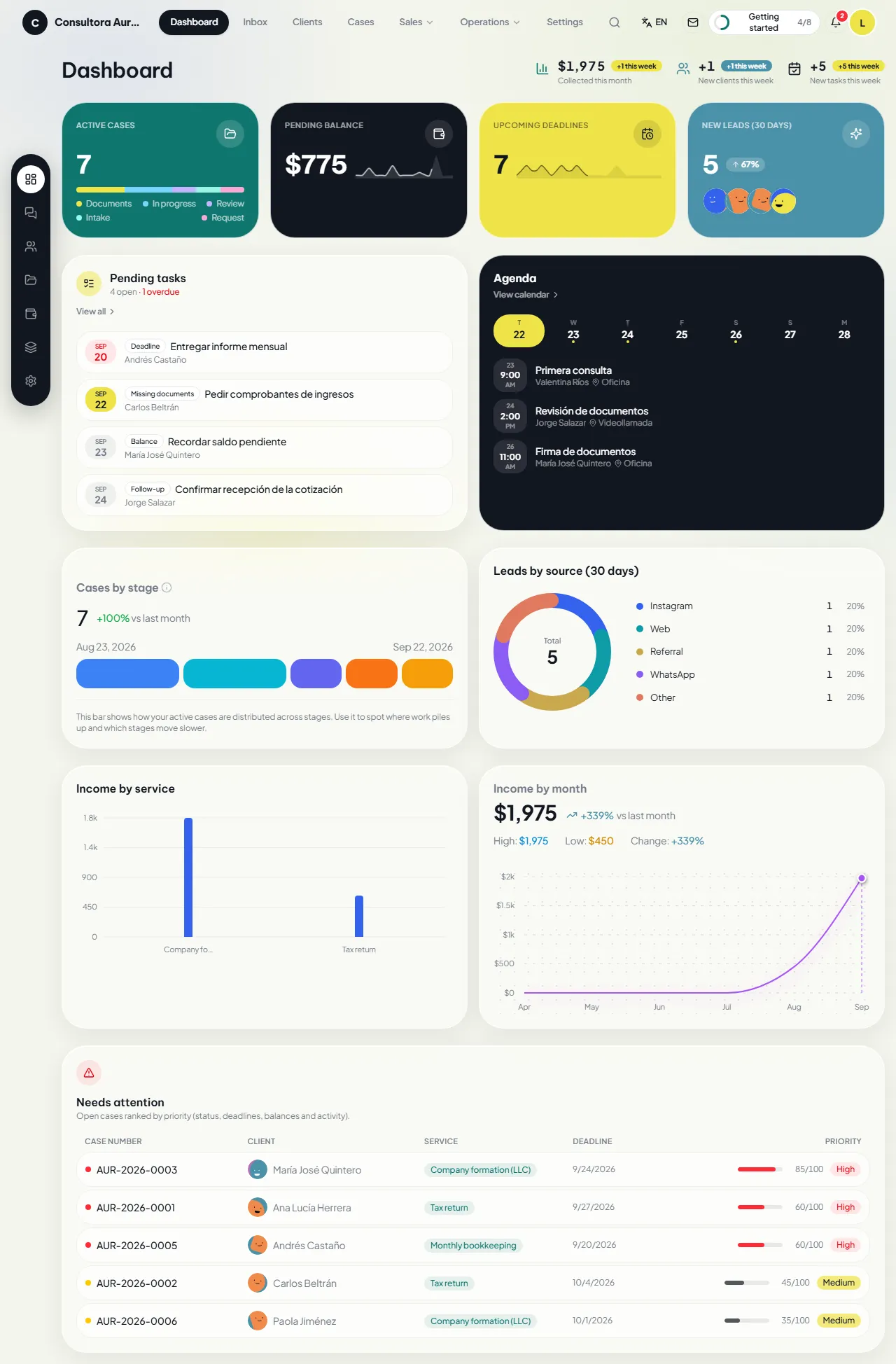
The dashboard sums up the state of the business and shows where every figure comes from.

  • Active cases, outstanding balance, upcoming deadlines and new leads from the last 30 days.
  • Pending tasks and the week’s schedule, each item one click away.
  • Cases by stage, leads by source, revenue by service and revenue by month.
  • “Need attention”: open cases sorted by traffic light, deadlines, balances and activity.

Inbox

Conversations from every channel

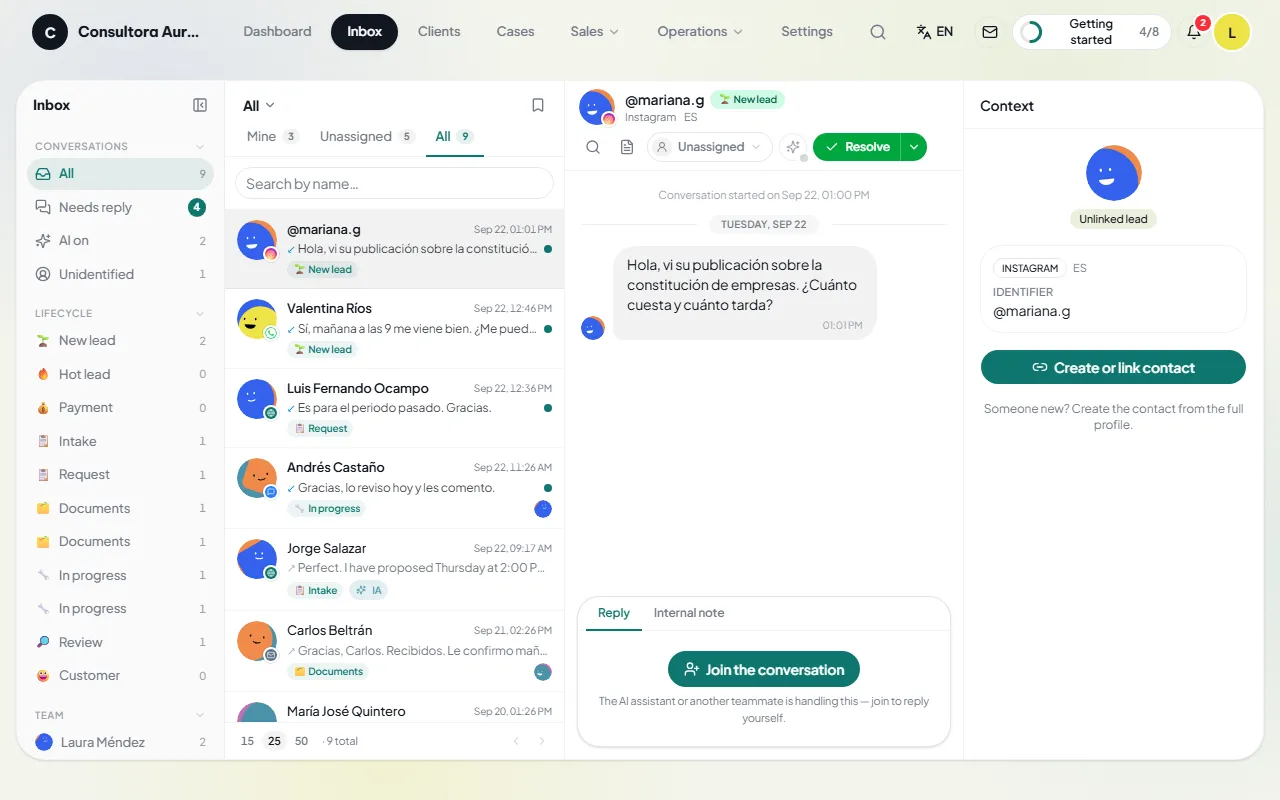
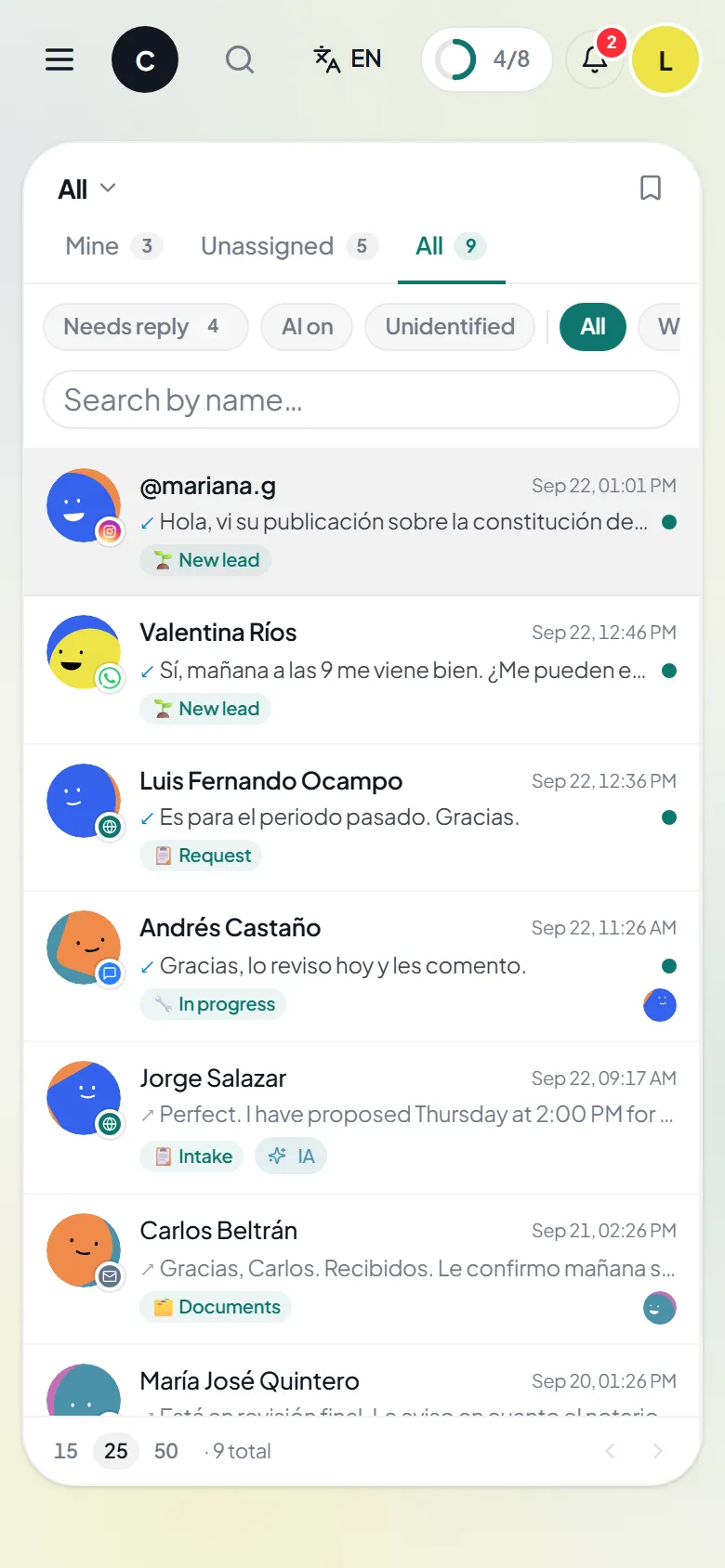
The inbox brings together WhatsApp, Messenger, Instagram, Telegram, SMS and email. Each conversation shows the client’s context and cases.

  • Reply to the client, leave internal notes for the team, assign an owner, close or put on hold.
  • Quick replies and templates; saved views with each day’s filters.
  • Leads that arrive without a record: link them to a client or create one from the conversation.
  • AI agent per conversation, on the business’s own key: switch it on or off in each thread. The AI menu also drafts, corrects or summarizes without sending anything.

Clients

Every client’s record

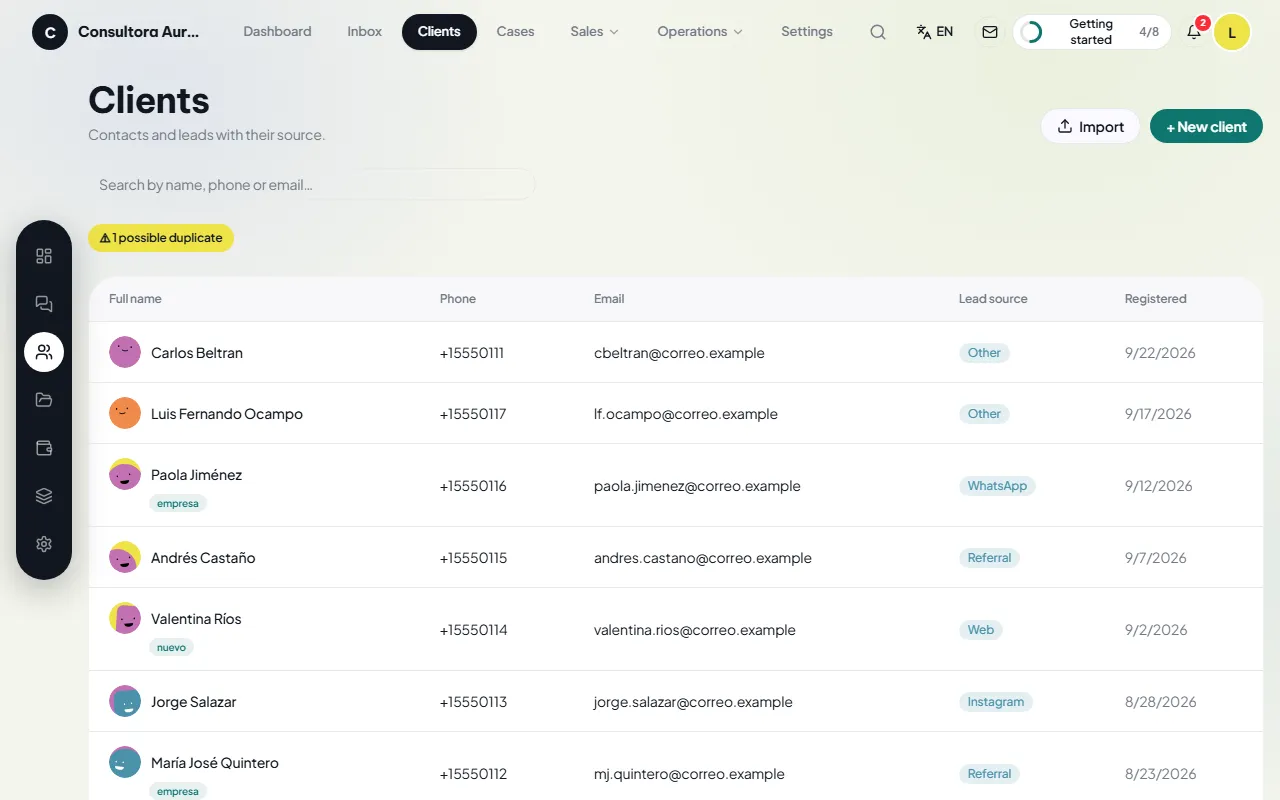
Details, cases, schedule, communications, calls and notes in a single record.

  • Manual entry or CSV import; export whenever you need it.
  • Duplicate detection and merge without losing cases, notes, communications or appointments.
  • Templated messages, browser calls from the company’s number, and a log of every call.
  • Client portal with a secure link; deletion of a person, or full erasure of their data, with the safeguards each case requires.

Cases

The file for every job

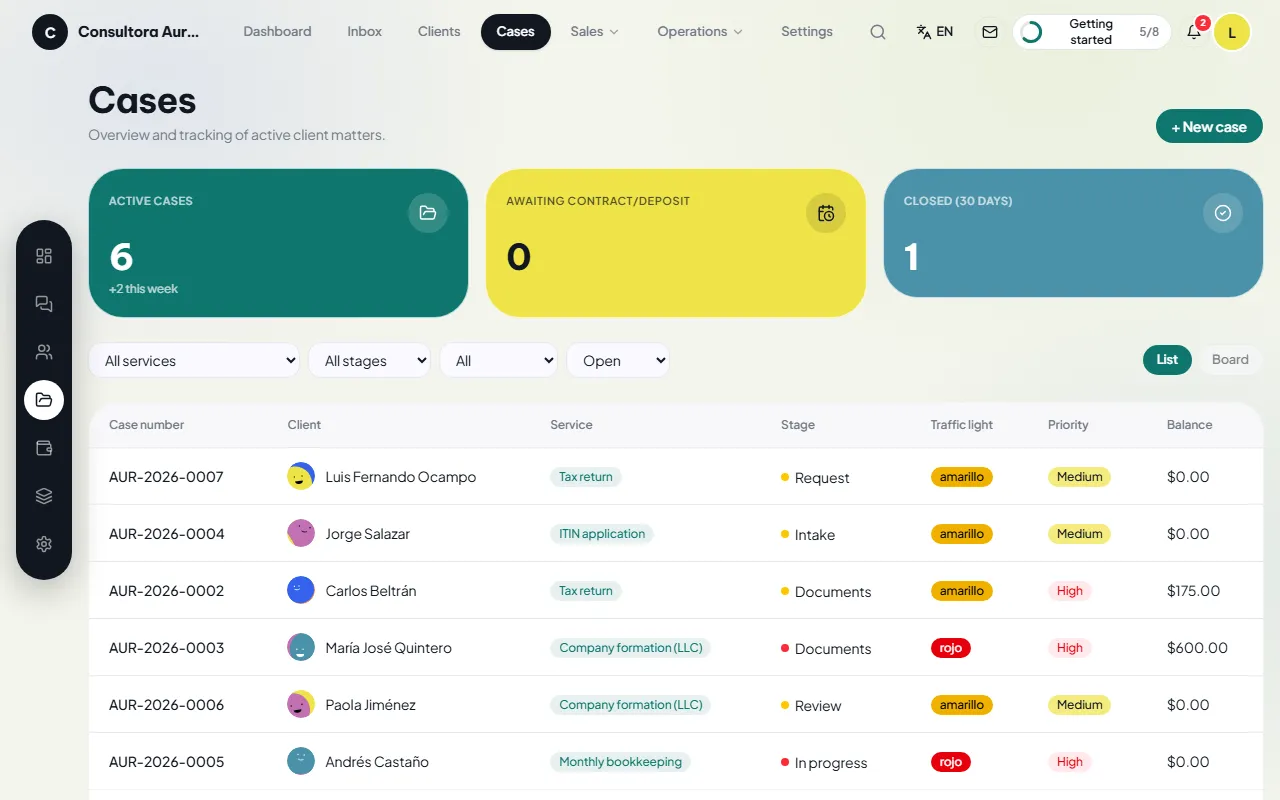
Each case carries its service, its owner, its forms, its dates and its document checklist.

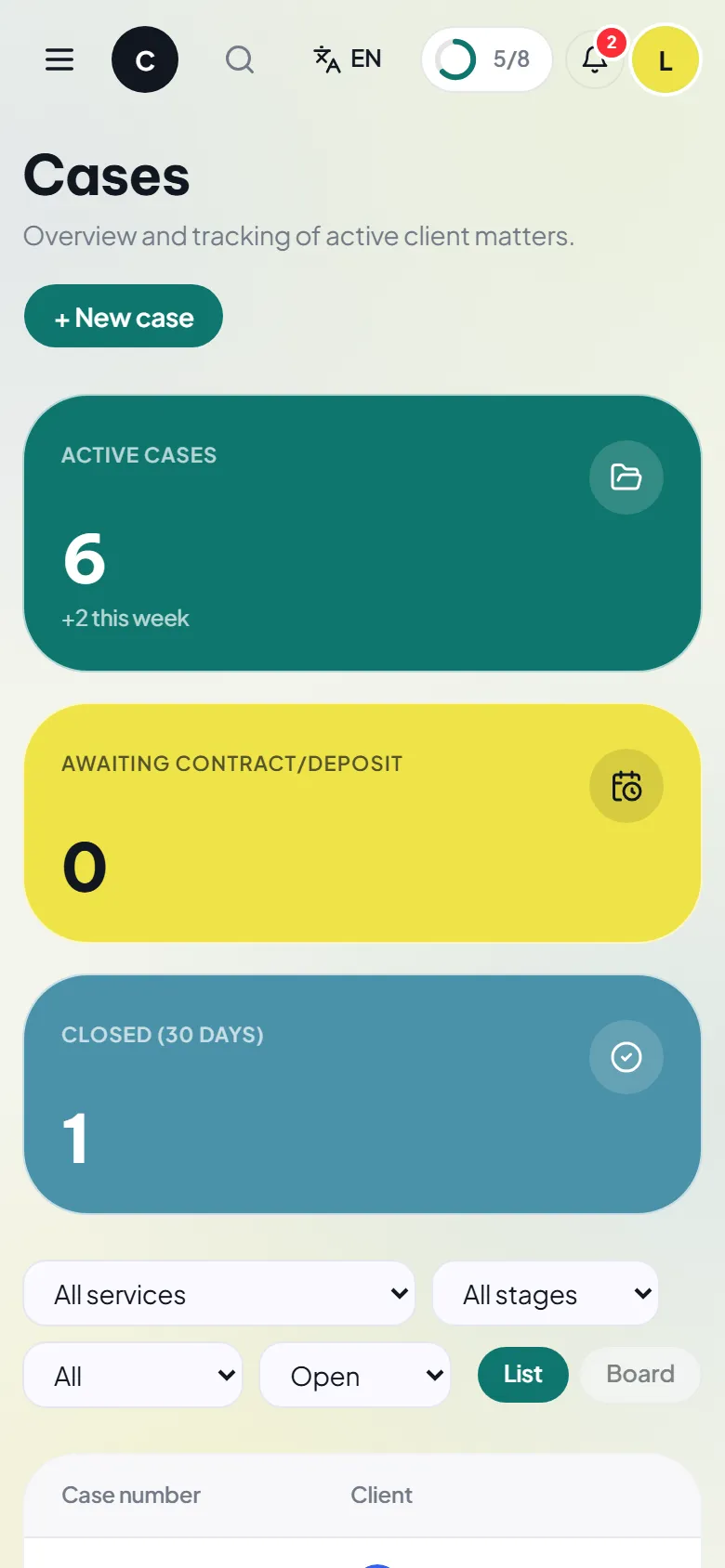
  • A list with filters, deadline traffic light and priority; a board to move cases between stages.
  • A file with stage, checklist, uploaded and generated documents, and notes.
  • Intake by link: the client fills in the form and the answers are saved to the case as a PDF.
  • Contract-and-deposit lock; closing, archiving with a reason, and deletion only when appropriate.

Sales

Quotes, contracts, payments and more

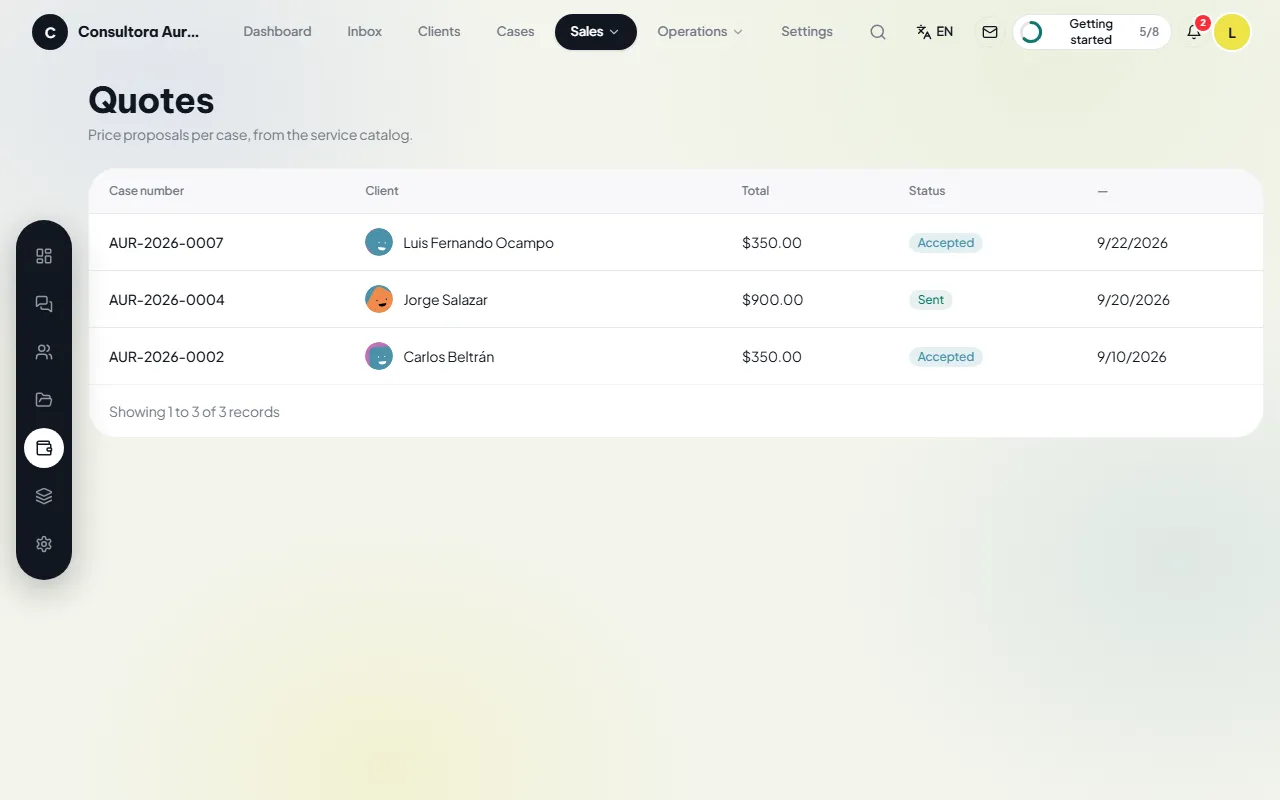
The “Sales” submenu groups Quotes, Contracts, Payments, Reports, Campaigns and Advertising.

  • A quote built from the service catalog; sent to the client, with their decision recorded.
  • A contract generated from the accepted quote, with your own clauses or the business’s own PDF; e-signature (DocuSign or Documenso), or a record of a signature obtained outside the system.
  • Deposit and balance with Stripe links and invoices, or payments recorded by any other means.
  • Reports by month range: leads, conversion, cases, revenue and team performance. WhatsApp and email campaigns. Spend, clicks and leads from Meta and Google Ads.

Operations

Documents, tasks, plans and calendar

The “Operations” submenu groups what the team does every day.

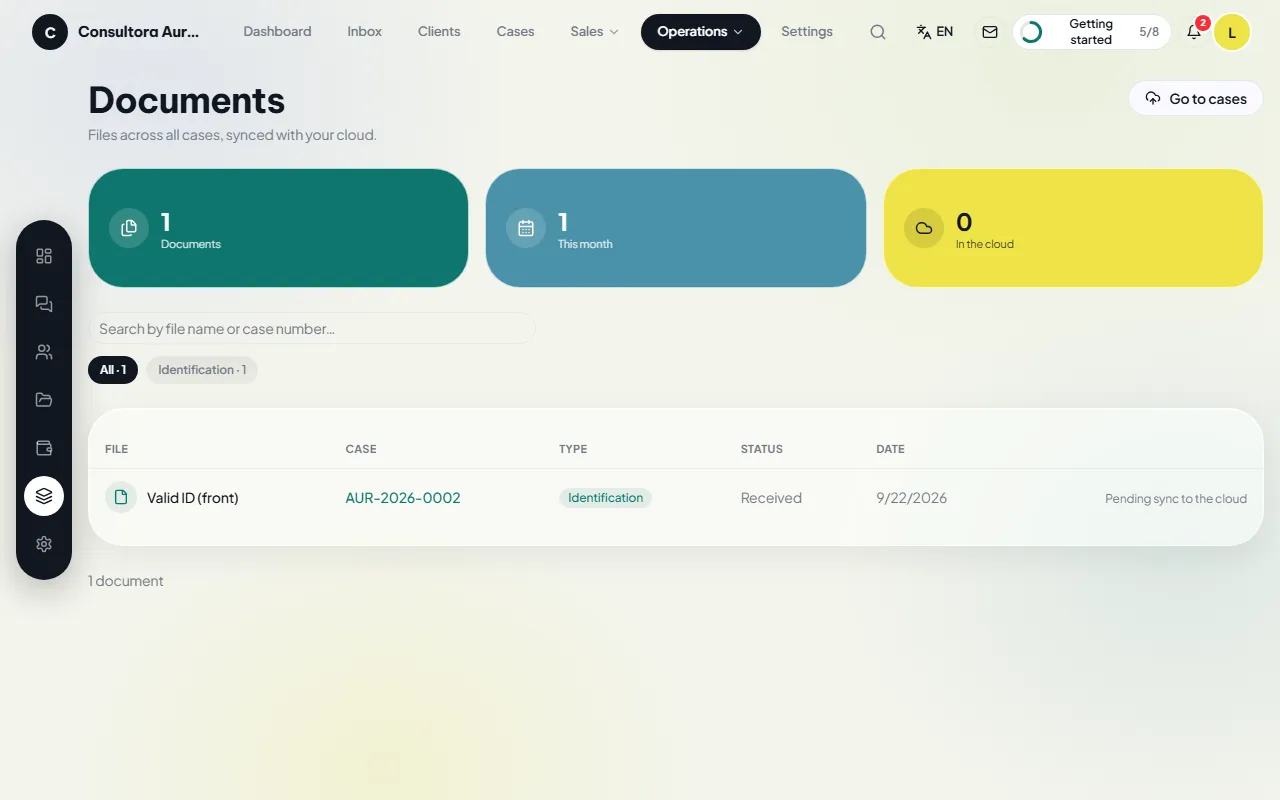
  • Documents: any file from any case on a single screen, with a marker showing whether it is already copied to the cloud.
  • Tasks: reminders generated by the CRM and follow-ups created by the team, grouped by owner.
  • Follow-up plans: sequences of messages and tasks the CRM sends automatically on the scheduled days, stopping when the client replies.
  • Calendar by month, week, day or agenda, synced with Google Calendar or Outlook.

Settings

The business, your way

Administrators only. Everything that adapts Zevli to your company.

  • Identity, deposit percentage, case numbering, traffic lights and the lock.
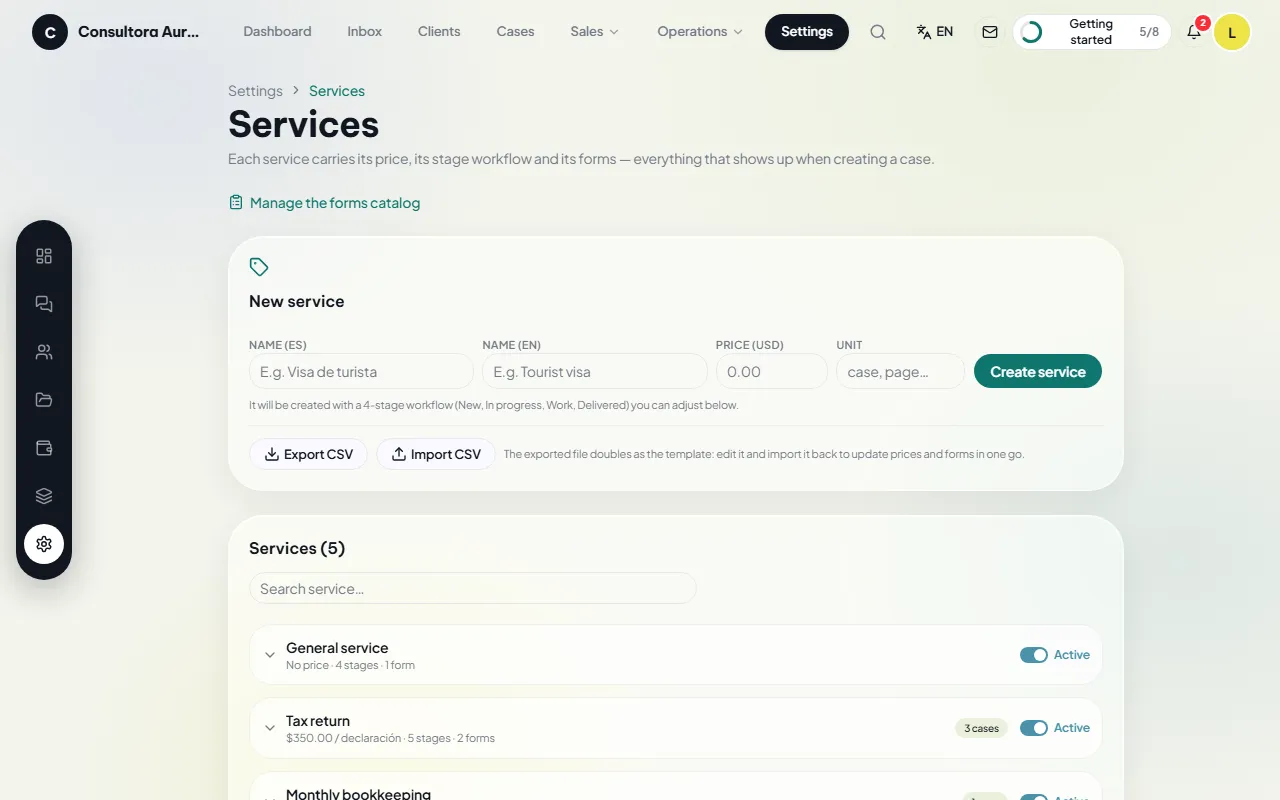
  • Service catalog with price, stages and forms; industry packages; checklists and intake.
  • A standard clause-based contract or your own PDF template; message templates in Spanish and English; email designer.
  • Team, roles and permissions; companies in the same installation; integrations; backups; license; audit log.

Pages for your clients

What your client sees

Three public pages with the business’s brand, in the client’s language.

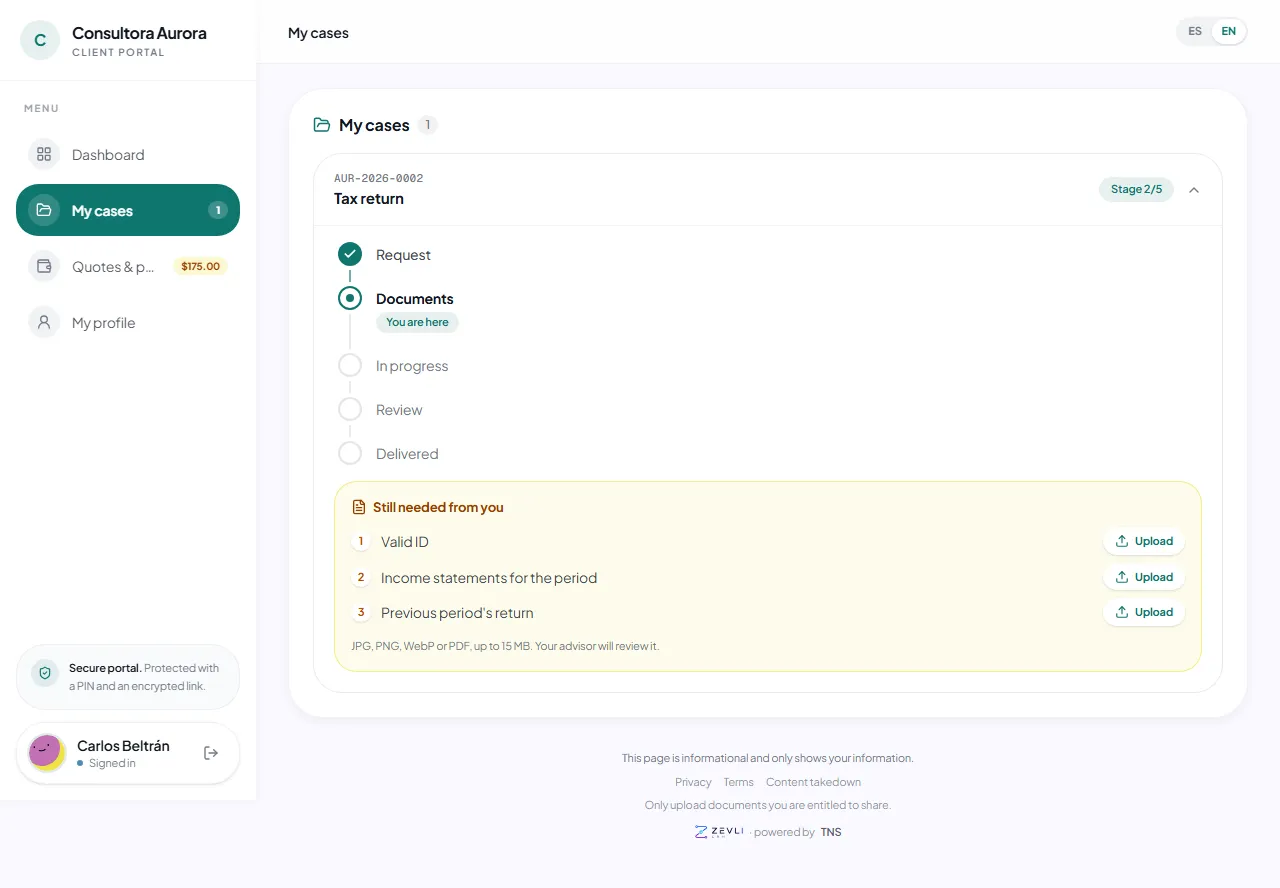
  • Client portal with a secure link: profile, cases, quotes, payments and appointments.
  • Intake form: the client fills in their details and they are saved to the case as a PDF.
  • Public quote: the client accepts it from the link in their email.
Dashboard
Full dashboard
Inbox
Inbox with the list of conversations and their channels
Clients
Client list with tags and filters
Cases
Case list with traffic light and filters
Sales
Quote list with status
Operations
Documents from every case on one screen
Settings
Service catalog with prices and stages
Pages for your clients
The client’s cases in their portal

Dashboard

The first screen of the day

The dashboard sums up the state of the business and shows where every figure comes from.

  • Active cases, outstanding balance, upcoming deadlines and new leads from the last 30 days.
  • Pending tasks and the week’s schedule, each item one click away.
  • Cases by stage, leads by source, revenue by service and revenue by month.
  • “Need attention”: open cases sorted by traffic light, deadlines, balances and activity.
Dashboard
Full dashboard

Inbox

Conversations from every channel

The inbox brings together WhatsApp, Messenger, Instagram, Telegram, SMS and email. Each conversation shows the client’s context and cases.

  • Reply to the client, leave internal notes for the team, assign an owner, close or put on hold.
  • Quick replies and templates; saved views with each day’s filters.
  • Leads that arrive without a record: link them to a client or create one from the conversation.
  • AI agent per conversation, on the business’s own key: switch it on or off in each thread. The AI menu also drafts, corrects or summarizes without sending anything.
Inbox
Inbox with the list of conversations and their channels

Clients

Every client’s record

Details, cases, schedule, communications, calls and notes in a single record.

  • Manual entry or CSV import; export whenever you need it.
  • Duplicate detection and merge without losing cases, notes, communications or appointments.
  • Templated messages, browser calls from the company’s number, and a log of every call.
  • Client portal with a secure link; deletion of a person, or full erasure of their data, with the safeguards each case requires.
Clients
Client list with tags and filters

Cases

The file for every job

Each case carries its service, its owner, its forms, its dates and its document checklist.

  • A list with filters, deadline traffic light and priority; a board to move cases between stages.
  • A file with stage, checklist, uploaded and generated documents, and notes.
  • Intake by link: the client fills in the form and the answers are saved to the case as a PDF.
  • Contract-and-deposit lock; closing, archiving with a reason, and deletion only when appropriate.
Cases
Case list with traffic light and filters

Sales

Quotes, contracts, payments and more

The “Sales” submenu groups Quotes, Contracts, Payments, Reports, Campaigns and Advertising.

  • A quote built from the service catalog; sent to the client, with their decision recorded.
  • A contract generated from the accepted quote, with your own clauses or the business’s own PDF; e-signature (DocuSign or Documenso), or a record of a signature obtained outside the system.
  • Deposit and balance with Stripe links and invoices, or payments recorded by any other means.
  • Reports by month range: leads, conversion, cases, revenue and team performance. WhatsApp and email campaigns. Spend, clicks and leads from Meta and Google Ads.
Sales
Quote list with status

Operations

Documents, tasks, plans and calendar

The “Operations” submenu groups what the team does every day.

  • Documents: any file from any case on a single screen, with a marker showing whether it is already copied to the cloud.
  • Tasks: reminders generated by the CRM and follow-ups created by the team, grouped by owner.
  • Follow-up plans: sequences of messages and tasks the CRM sends automatically on the scheduled days, stopping when the client replies.
  • Calendar by month, week, day or agenda, synced with Google Calendar or Outlook.
Operations
Documents from every case on one screen

Settings

The business, your way

Administrators only. Everything that adapts Zevli to your company.

  • Identity, deposit percentage, case numbering, traffic lights and the lock.
  • Service catalog with price, stages and forms; industry packages; checklists and intake.
  • A standard clause-based contract or your own PDF template; message templates in Spanish and English; email designer.
  • Team, roles and permissions; companies in the same installation; integrations; backups; license; audit log.
Settings
Service catalog with prices and stages

Pages for your clients

What your client sees

Three public pages with the business’s brand, in the client’s language.

  • Client portal with a secure link: profile, cases, quotes, payments and appointments.
  • Intake form: the client fills in their details and they are saved to the case as a PDF.
  • Public quote: the client accepts it from the link in their email.
Pages for your clients
The client’s cases in their portal

Responsive design

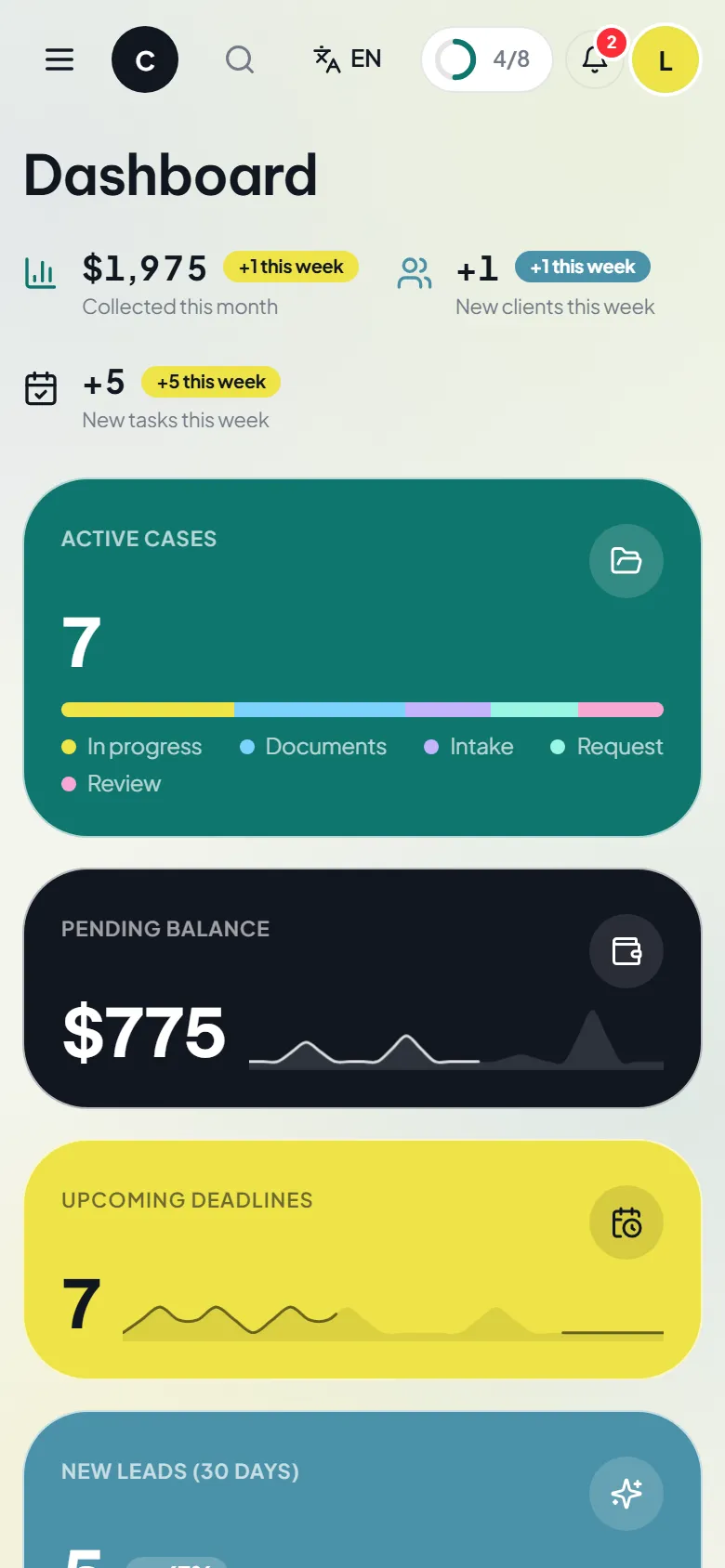
The same screens, adapted to the phone.

Dashboard · phone
Dashboard on a phone
Inbox · phone
Inbox on a phone
Cases · phone
Case list on a phone

See Zevli in action

Four everyday actions.

Reply from the inbox
Move a case between stages
Collect a deposit
Configure the lock

A demo with cases from your industry

Request a demo or buy directly from the Tele Network Solutions store.